Your vendor set up the chatbot, pointed it at your help center, and it answers about a third of the questions well, a third vaguely, and a third with “I am not sure, please contact support.” You assumed the AI was the weak part. It is not. The knowledge base for the AI chatbot is.
The help center was written years ago for people browsing it. Half the pages cover four topics each. The return policy is in a PDF. The answer to the most common question your support team gets (“does this work with that”) is not written down anywhere, because everyone on the team just knows it.
A knowledge base for an AI chatbot is a different artifact from a help center, and building it is most of the work of building a good bot. This article explains what to write, how to structure it so the bot can find and use it, what the bot cannot use no matter how you format it, how to keep it current, and how the bot’s own unanswered questions tell you what to write next.
What this actually is
A support bot built properly does not answer from its general knowledge. Each time a customer asks something, the system searches your material for the passages most likely to contain the answer, hands those passages to the language model (the AI that reads and writes text), and instructs it to answer only from what it was given. This pattern is called retrieval-augmented generation, or RAG, and What Is RAG? Retrieval-Augmented Generation for Business Owners explains it from scratch.
The consequence is simple. If the right passage exists and is findable, the bot answers well. If it does not exist, the bot cannot answer. If it exists but is buried in a long page about six other things, the search may not surface it, or may surface it alongside so much noise that the model answers vaguely. The knowledge base is the product. The bot is a way of reading it.
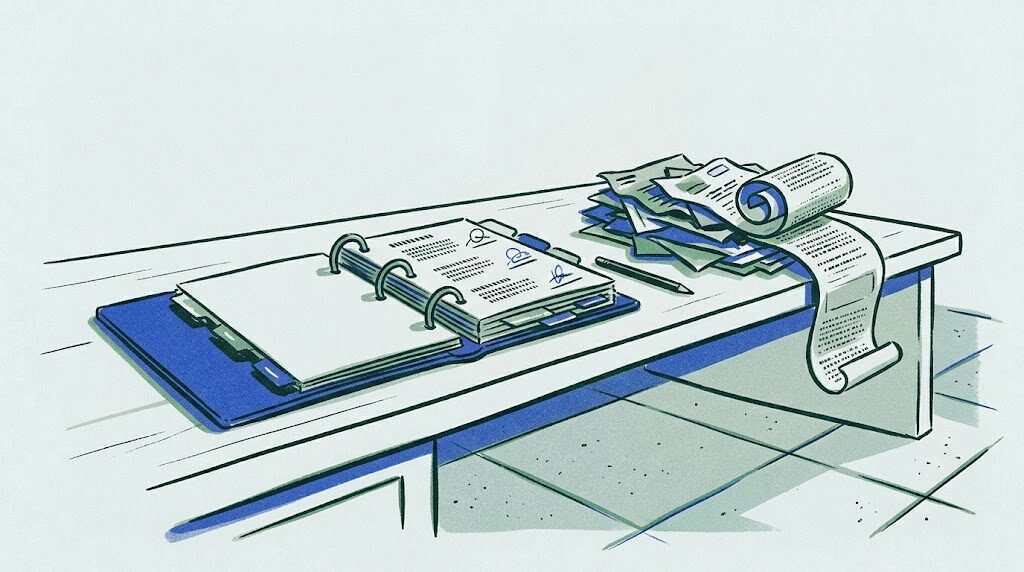
The everyday analogy is the binder behind a front desk. A good binder has one topic per tab, short entries, a date on each page, and someone whose job is to update it when a policy changes. A bad binder is a stack of old memos, a few printed emails, and a PDF of a form nobody can read. A new hire with the good binder answers most questions correctly on day one. The same hire with the bad binder guesses. The bot is that hire.
How to build a knowledge base for an AI chatbot
1. Start from the questions, not from your product
Do not start by documenting your product top to bottom. Pull the last three months of support emails, chats and call notes and list the questions customers actually asked, grouped by meaning. A small number of questions will account for most of the volume. Write those first, then the next tier. Your least-asked-about feature can wait.
The support team already has this list in their heads and in their canned replies. Their saved responses are the best raw material you own, because they were written to answer a real question and refined over hundreds of uses.
2. One question per article, and put the question in the title
The single biggest structural change from a browsing help center to a bot knowledge base is granularity. Each article answers one question. The title is the question, phrased the way a customer would type it: “How do I return an item?” not “Returns.” The body is the answer, in plain language, in one to four short paragraphs.
This matters because retrieval works on chunks of text. A page that covers returns, exchanges, refunds, and warranty in one flow gets split into pieces that each lose context, or is pulled in whole and drowns the answer. A page that answers exactly one question is a clean unit: it gets found for the right question and it says one thing when it is found.
3. Write the answer first, then the caveats
Lead with the direct answer. “Yes, you can return unused items within 30 days of delivery for a full refund.” Then the conditions. Then the how. Then the exceptions. A model given a passage that opens with three paragraphs of context before the answer will often reproduce the context and mumble the answer. A passage that opens with the answer gets quoted correctly.
Use plain words. Avoid internal jargon and product code names unless the customer would use them. If your team calls something “the portal” and customers call it “my account page,” write “my account page (the portal).”
4. Make every article self-contained
An article that says “as described above” or “see the previous section” is useless to a bot, because the bot only sees the passage it retrieved, not what came before. Every article must make sense on its own. Repeat the key fact rather than referring to it elsewhere. If two articles genuinely need to link, name the other article explicitly (“see: How do I request a replacement part?”) so the bot can offer it.
This feels redundant to a human editor and it is exactly right for retrieval.
5. Put facts in text, not in images, PDFs of scans, or tables that are really pictures
The bot can only use text it can read. A screenshot of a pricing table is invisible. A scanned PDF is invisible unless it is run through OCR (optical character recognition, software that turns an image of text into text) and the result is checked, and even then the layout usually scrambles. A designed table in a PDF often comes out as a soup of numbers.
The rule: any fact the bot should be able to state must exist as plain text in an article. Sizes, prices, dates, compatibility lists, policy limits. If the source is a PDF, extract the facts into text and keep the PDF as a link for humans. AI Document Processing for Business, From PDFs to Clean Data covers what extraction can and cannot recover from documents.
6. Tribal knowledge is the biggest gap, and it has to be written down by hand
The most valuable material is the stuff nobody wrote: which two products do not work together, what to tell a customer whose order shows delivered but is not there, the unofficial exception for customers in a certain situation, the workaround for a known bug. It lives in the heads of your two most experienced support people.
Get it out by interviewing them. Ask “what do you know that a new hire would not?” and “what questions do you answer from memory?” Record it, write it up as one-question articles, and have them check the result. In the systems we build, this interview step is the one that turns a mediocre bot into a good one, and it is the step vendors skip because it is not software.
7. Date every article and assign an owner
Each article carries a “last reviewed” date and the name of the person responsible for it. When the policy changes, the owner updates the article. Every quarter, anything older than six months gets a review. Without this, the knowledge base is accurate on launch day and drifts from there, and the bot, which cannot know the world changed, keeps quoting the old rule with full confidence.
Version the articles. When a fact changes, you want to be able to see what it used to say and when it changed, because a customer will eventually say “your bot told me something different last month.”
8. Mark what the bot may not answer
Some material should exist for humans but not be given to the bot: negotiated pricing, internal escalation procedures, anything legal or medical, and anything about specific customers. Tag those articles as internal and exclude them from what the bot retrieves. Then write a short public article for the same topic that says what the bot should say instead: “Pricing for business accounts is quoted individually. I can connect you with the sales team.” The bot needs a passage to retrieve even for the questions it should not answer, or it will improvise. When it does hit a topic it must not handle, the handoff rules in AI Chatbot Escalation to Human: When and How the Handoff Works take over.
9. Use the unanswered questions as the writing queue
Every time the bot says “I do not have information about that,” log the question. Every week, group the logged questions by meaning and count them. The top ten are your writing assignments for the week. This loop, which the bot runs for you at no cost, is the most reliable way to find out what your customers want to know that you never wrote down. After a couple of months the list gets short, and that is the sign the knowledge base has caught up with reality.
Also review a sample of the answered questions against their sources. An answer that was technically drawn from an article but reads wrong usually means the article is ambiguous. Fix the article, not the bot.
Picture a business like this one
The business below is a composite of the kind of company that writes to us, not a client. The numbers describe the shape of the problem, not a case study.
Picture a business like this one: a software company selling scheduling tools to salons, with 35 staff and a three-person support team. Their help center has 140 pages, written over six years by different people, several of them screenshots with captions. Their bot answers about a third of questions well. The support team’s canned replies in their help desk tool number around 200 and are far better than the help center.
What gets built:
- Three months of support tickets are exported and clustered into about 90 distinct questions, ranked by frequency.
- The 200 canned replies are rewritten as one-question articles, answer first, self-contained, with plain titles.
- The two senior support people spend four hours each being interviewed about what they know that is not written down, producing 40 more articles on compatibility quirks, common misunderstandings, and known issues with workarounds.
- Pricing, legal and internal procedure pages are tagged internal and excluded; short public redirect articles are written for each.
- Every article gets a reviewed date and an owner. A quarterly review of anything older than six months goes on the calendar.
- The bot’s unanswered questions feed a weekly list, and one support person owns writing from it.
What changes: the bot’s “I do not know” rate drops steadily over eight weeks. The three-person team stops answering the same twenty questions and spends its time on the hard ones. And the company ends up with the first accurate, current, single-source description of how its own product behaves, which the sales and onboarding teams start using too.
What it costs to run
The knowledge base itself is text, and text is nearly free to store. The searchable form of it (the retrieval index) can live in a managed service such as Pinecone, which has a free tier and paid plans, or in pgvector inside a Postgres database on a $10 to $30 a month server, which is enough for thousands of articles. Check current pricing pages for the managed options.
Each question the bot answers costs a small amount of model usage, priced per token (roughly three quarters of a word), typically a fraction of a cent per conversation with current mid-tier models. If you use a help desk product’s built-in bot, the knowledge base often lives inside it and the cost is bundled into their per-seat or per-resolution pricing.
The real cost is writing time. Building the initial knowledge base is several days to a few weeks of a support person’s time, depending on how much is already written down. Maintaining it is a few hours a week: the unanswered-question review and the writing that follows. Budget that time explicitly, because it is the work that determines whether the bot is any good.
The mistakes we see most
-
Pointing the bot at the existing help center and calling it done. Long, multi-topic pages retrieve badly. Rewrite into one-question articles.
-
Facts locked in images and PDFs. The bot cannot see them. Extract every fact into plain text.
-
Skipping the tribal knowledge interviews. The material that matters most was never written down, and it will not appear on its own.
-
No dates, no owners. The knowledge base is right on launch day and wrong by the next policy change.
-
Ignoring the unanswered-question log. The bot is telling you exactly what to write next, every day, and nobody reads it.
When to bring in help
Writing the knowledge base is work your own team can and should do; nobody knows your products and customers better, and no developer can substitute for the tribal knowledge interviews. If you use a help desk product with a built-in bot, you can get a long way with the structure above and no engineering at all.
A developer becomes useful when the knowledge base needs to draw from your own systems (product catalog, compatibility data, account details) rather than static articles, when the retrieval quality needs tuning because the material is large or technical (the details are in RAG Implementation Best Practices That Actually Hold Up), when you want the bot on your own site with your choice of model, or when access rules mean different customers may see different material.
Levelbrook builds support bots and the retrieval behind them, and helps structure the knowledge base so the bot can use it, fixed price from a written scope, running in accounts you own. The form below is how a conversation starts.