You signed up for Make because someone said it was cheaper than Zapier and more visual. You dragged a few circles around, connected your form tool to your spreadsheet, and it worked. Then you built a second one, then a fifth, and now there is a scenario nobody wants to open because it looks like a subway map and nobody is sure what happens if it stops.
This is a guide to Make.com automation for a business that wants what it builds to keep working: what Make is genuinely good at, the three places it breaks, and the habits that separate a scenario that runs for years from one that dies quietly in month four.
The short version: Make is a good tool with a fair price, and almost every problem people have with it comes from building fast and never coming back. The fixes are boring and they work.
What Make actually is
Make is an automation platform. It watches for something to happen in one of your systems (a trigger) and then runs a series of steps in other systems (actions). Make calls a complete chain a scenario, and each step a module. A module is one pre-built action: create a row in Google Sheets, send an email through Gmail, look up a customer in HubSpot. You connect modules by drawing lines between them on a canvas, and data flows along the lines.
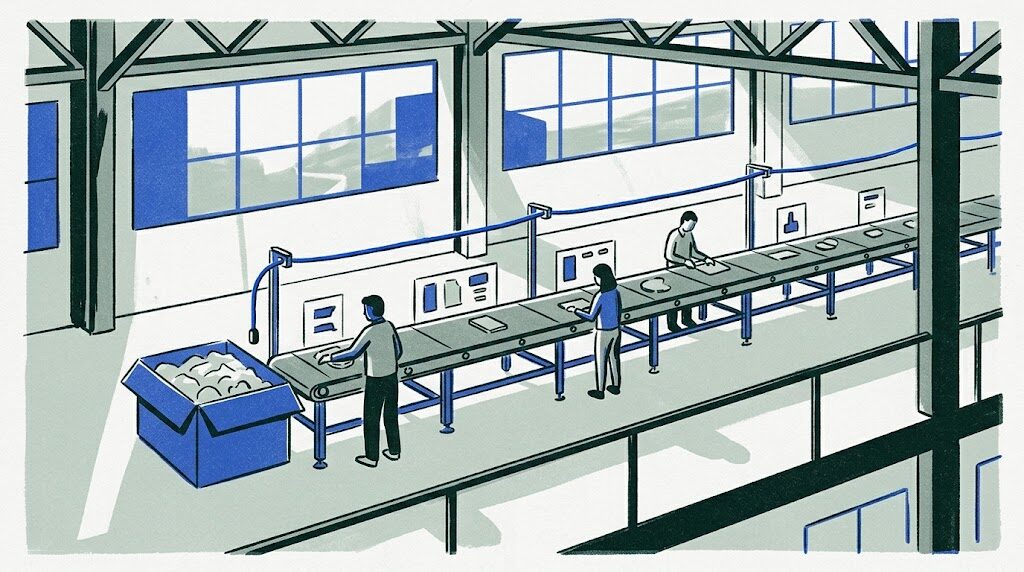
The ordinary-business analogy is a production line. Each module is a station. Something arrives at the first station (a new order, a new form), gets worked on, and gets passed down the line. Make adds a few special stations: a router, which splits the line into branches based on a rule; an iterator, which takes a box of items and sends them down the line one at a time; and an aggregator, which collects them back into a box.
The one word you must understand is operation. An operation is one execution of one module. A scenario with six modules that runs once uses roughly six operations. Make charges by operations per month, in tiers, and the same scenario can cost six operations or six hundred depending on how it is built.
1. Use Make for what it is good at and be honest about the rest
Make is at its best for moderate-volume, visual, multi-branch automation that an office person can read. Order arrives, check the customer, route by region, create the job, notify the crew. For this kind of work it is faster to build than Zapier, cheaper to run, and easier to see at a glance.
It is not good at three things. High-volume per-item processing (thousands of rows, each needing several steps), because the operations count climbs with every item. Complex nested logic, because routers inside routers become unreadable. And anything that must never fail silently, because reliable error handling in Make has to be built on purpose, and most people never do. If your need is in those three, read n8n vs Make vs Zapier for a Business Without a Developer before committing.
2. Count your operations before you build, not after the invoice
Draw the scenario on paper first. Count the modules. Estimate how many times a month the trigger fires. Multiply. Then look for iterators, because an iterator multiplies every module after it by the number of items. A scenario that reads an order with twenty line items and runs three modules per line is not four operations per order, it is over sixty. At a hundred orders a day that is over 180,000 operations a month, a very different plan tier from the one you signed up for.
The two ways to bring it down are aggregation and batching. Aggregate early, so twenty line items become one text block that one module handles. Batch the trigger, so the scenario runs every fifteen minutes and processes everything that arrived, rather than once per event. Also check the schedule: a scenario polling every minute uses an operation every minute even when nothing is new, over 43,000 a month doing nothing. Use webhooks (the other system tells Make something happened, instantly) wherever the source supports them.
3. Name everything as if a stranger will read it next year
Make lets you rename every module and every scenario. Do it every time. The default “Google Sheets: Add a Row” tells the next person nothing. “Add lead to Q3 tracker sheet” tells them everything. Scenario names say what triggers it and what it does: “Website form to CRM and intro email”, not “Scenario 7”.
Add a note on the canvas at the start of every scenario with three lines: what it does, who in the business depends on it, and what to do if it stops. This costs nothing and it is the single thing that most reliably saves a business when the person who built the automation leaves. In the systems we build, the naming and the note come before the first real module.
4. Build the error handler on the first day, not after the first failure
Every module in Make can have an error handler attached: a small branch that runs only when that module fails. Most people never add one, so a failed module stops the scenario, Make marks the run as an error, and unless someone is watching the dashboard, nobody knows. A customer who paid never gets their confirmation. A lead sits unanswered for a week.
The minimum is one error route on any module that talks to an outside system, doing two things: record what failed (the customer, the time, the error text) to a sheet or log, and message a person. Make’s directives (Resume, Ignore, Rollback, Break) decide whether the scenario continues, stops, or retries; Break with a retry is the right default for temporary failures. Also turn on incomplete executions, so a failed run is kept and can be resumed after you fix the cause. The full reasoning is in Automation Error Handling for Businesses Tired of Silent Failures.
5. Keep each scenario small and chain them with webhooks
The subway-map scenario happens because one scenario grows to do everything. Split it. A scenario should do one job: receive a lead and file it; send the intro email; update the weekly report. When one needs to hand off to another, have the first call a webhook that triggers the second. Make supports this natively and it costs one operation.
Small scenarios are easier to read, easier to test, and fail in isolation. When the intro email scenario breaks, the lead still gets filed. The chained design also lets you swap one piece later (a new email tool, a new CRM) without rebuilding the whole line. A rough rule: more than fifteen modules or more than two levels of router, split it.
6. Guard against the same thing happening twice
Automations retry, systems send duplicate notifications, and people click submit twice. Without a guard, your scenario creates two customers, sends two invoices, or texts a client twice at 6am. The term for protection against this is idempotency: designing a process so that running it twice has the same result as running it once.
In Make the practical version is a lookup before a create. Before adding the customer, search by email; if found, update instead. Before sending the invoice, check whether one with that order number exists. Make’s data store (a small built-in database) is useful here: write the order ID into it when processed and check it at the start of every run. A few extra operations per run is cheap insurance against an embarrassing duplicate.
7. Put an AI step in the right place and check its answer
Make has modules for OpenAI, Anthropic, and Google models, and adding one takes a minute. An AI step sends some text to a language model (software that reads text and writes text back) and receives an answer. The temptation is to make the model the whole scenario: “read this email and respond appropriately.” Do not.
The pattern that works is narrow and checked. The model gets one job (classify this inquiry into one of five types; extract the name, service, and address; draft a reply for a human to approve). You tell it exactly what shape the answer must take. The next module checks that the answer is in that shape and the value is one of the allowed ones; if not, the item goes to a person. Only then does anything happen. For ideas of where AI steps earn their keep, see 25 AI Workflow Automation Examples for a Real Business.
8. Test with ugly data, watch the first week, and export blueprints
Make’s run-once button and module output panels let you step through a scenario with real records. Use them with the ugly cases: a form with a missing phone number, an order with zero items, a name with an apostrophe. Most first-month failures are data shape surprises, not logic bugs. After go-live, read the execution history daily for a week, then weekly, then let the error handler be your eyes and review monthly.
Every scenario can be exported as a blueprint, a file describing every module and setting. Export after any change and keep the files in a folder you own (a code repository is best). If a scenario is deleted, the account is locked, or you decide to move platforms, the blueprint is what a developer rebuilds from. It makes leaving a project rather than an archaeology dig.
Picture a business like this one
The business below is a composite of the kind of company that writes to us, not a client. The numbers describe the shape of the problem, not a case study.
Picture a business like this one: a two-location physical therapy clinic with around 25 staff. New patient inquiries come through a website form, a booking tool, and Google. The office lead built six Make scenarios over a year: form to the practice software, booking confirmations by text, insurance-check reminders, review requests after discharge, a daily new-patient list, and a monthly summary for the owner.
What is wrong: the biggest scenario has grown to 34 modules with routers inside routers, and only the office lead can follow it. Two months ago it began silently failing on inquiries with a blank phone field, and roughly one in fifteen went nowhere for weeks. The operations count has tripled because the daily list iterates over every patient record each morning, and the plan tier moved up twice.
What a clinic like this would build:
- The 34-module scenario split into four small ones chained by webhooks: receive and validate, file to the practice software, confirm by text, notify the front desk.
- A validation step that routes any inquiry with a missing required field to a human queue instead of failing.
- One error handler pattern on every module that touches the practice software or the texting service, logging the failure and messaging the office lead.
- The daily list rebuilt to query only records created in the last 24 hours.
- A note at the top of every scenario, a blueprint export of each, and a one-page runbook in the shared drive.
What changes: inquiries stop disappearing, the plan tier drops back down, and when the office lead takes two weeks off, the person covering can open any scenario and understand it. No new tool, no migration, just building it the way it should have been built.
What it costs to run
Make’s free tier is enough to learn on. Paid plans are tiered by operations per month and start in the range of a cheap monthly subscription; check the current pricing page because the tiers change. A small business running ten to twenty well-built scenarios usually lands in the lower paid tiers. One that has not managed its operations count can sit two or three tiers higher for the same work.
The connected tools have their own costs, and any AI module bills per usage on the model provider’s account, fractions of a cent per classification on a cheap tier. There is no server to run, which is Make’s real advantage over self-hosting. If you later outgrow it, Self-Host n8n for Your Business Without Being Held Hostage shows what the alternative costs.
The mistakes we see most
- Iterating when aggregating would do. The most common cause of a surprise bill.
- No error handlers anywhere. The most common cause of a silent failure discovered by a customer.
- One giant scenario. Unreadable, untestable, and it takes the whole process down when one module breaks.
- The AI module wired straight to send. The model’s answer reaches a customer with no check.
When to bring in help
An owner or office manager can build good Make scenarios alone by following the habits above: count operations, name things, add error handlers, keep scenarios small. Most of the value in Make is available without a developer, and we would rather see a business do it well itself than pay for what it does not need.
A developer earns their fee when scenarios touch money or patients, when the operations bill is a line item worth reducing, when an AI step needs its output checked before it acts, or when the whole set of scenarios needs an audit and rebuild by someone who does this every week. That work is usually short and pays for itself in reliability or subscription savings.
Levelbrook builds and repairs automation like this for businesses, on a fixed price from a written scope, running in your own Make account and your own connected tools. If you want a second pair of eyes on what you have, the form below is how that starts.